Statsig
The Statsig integration allows you to automatically send Superwall subscription and payment events to your Statsig project. This integration provides comprehensive event tracking with user properties for experimentation and analytics.
In the Analytics section within Integrations, you can connect your Statsig account to Superwall:
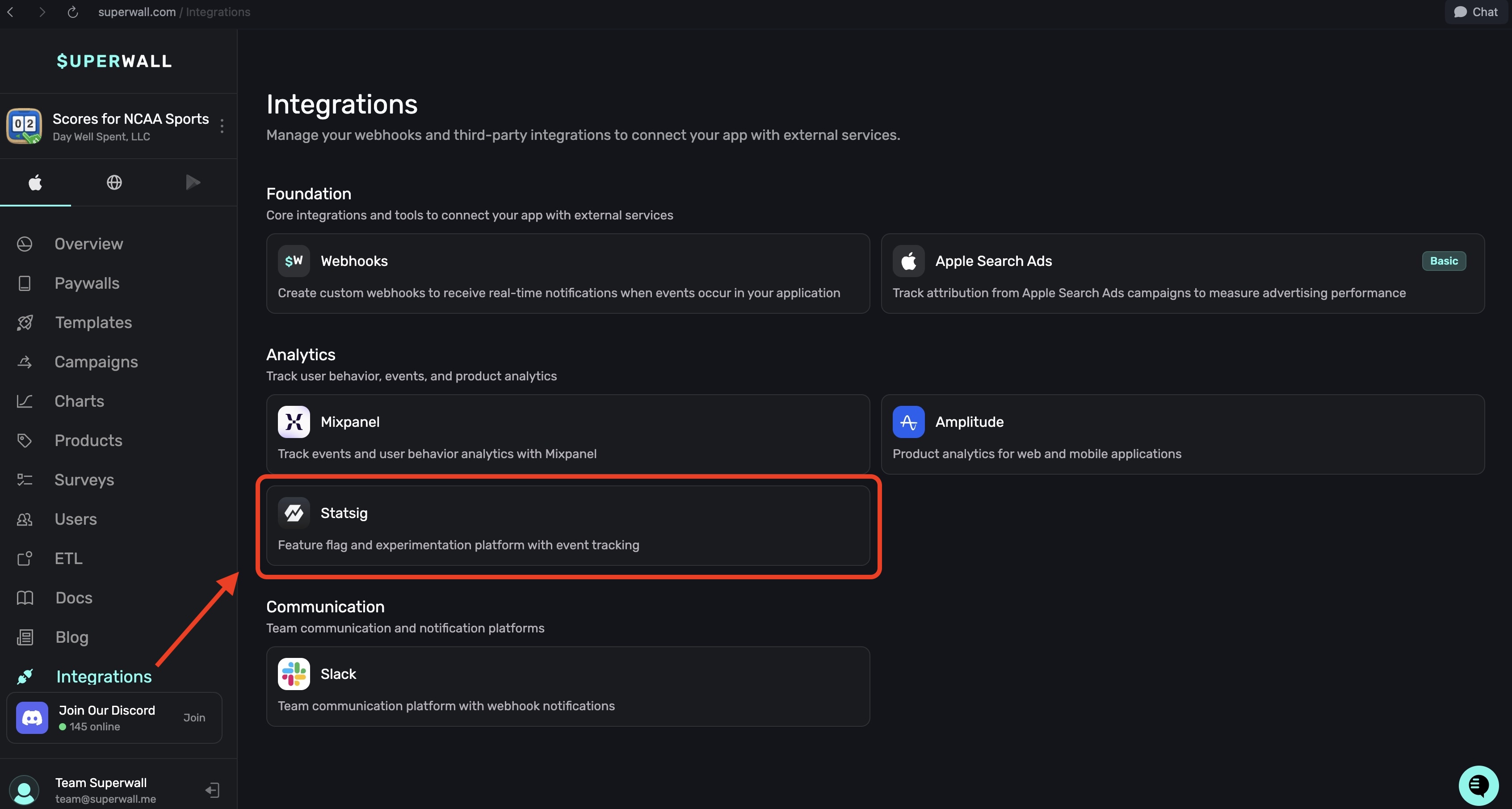
Required fields
Fill out the following fields and click the Enable Statsig button at the bottom right to save your changes:
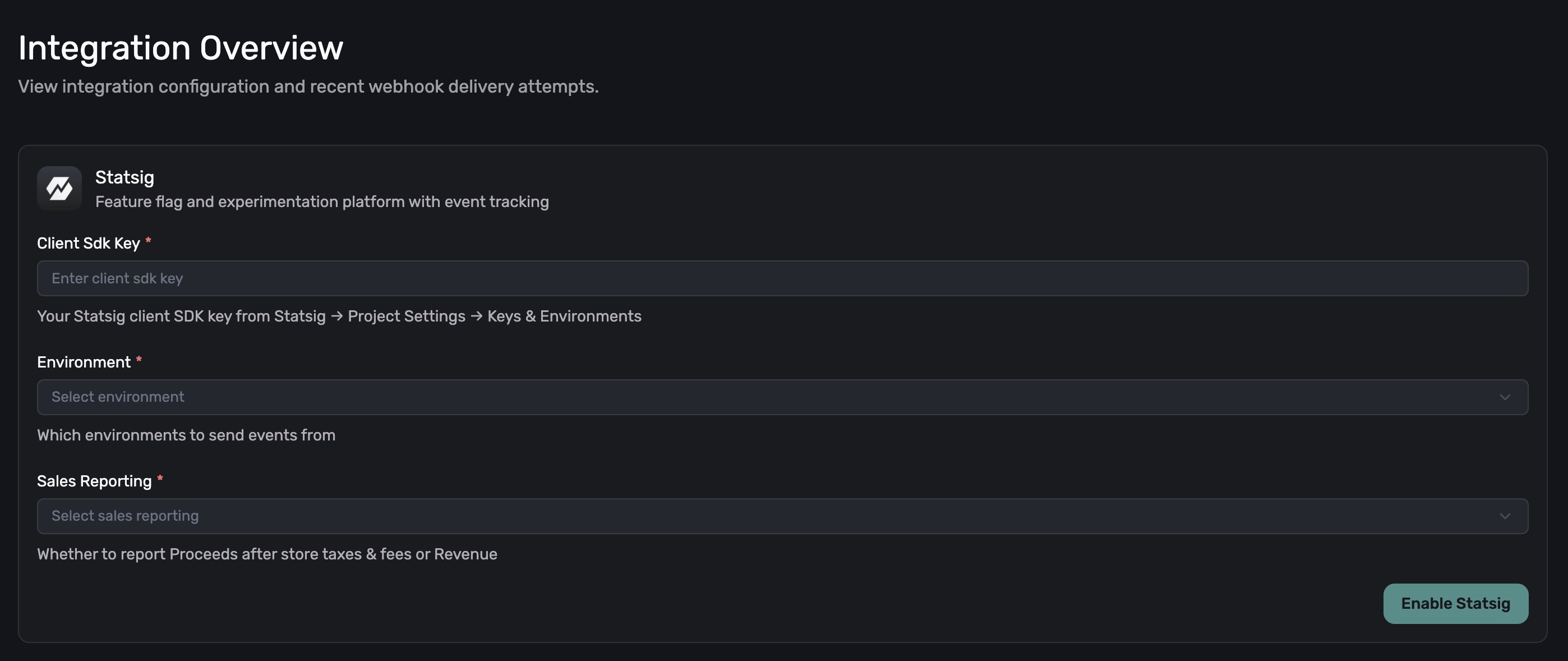
- Client SDK Key: Your Statsig client SDK key from Statsig → Project Settings → Keys & Environments.
- Environment: Which environments to send events from.
- Sales Reporting: Whether to report Proceeds after store taxes & fees or Revenue. Choose between Proceeds (after store taxes & fees) or Revenue.
Features
- Automatic Event Mapping: Converts Superwall events to readable, Title Case Statsig event names
- Revenue Tracking: Tracks both price (gross) and proceeds (net after fees)
- User Property Enrichment: Attaches store, product, and transaction metadata to user objects
- Environment Tier Separation: Uses Statsig's tier system to separate production and staging data
- Sandbox Isolation: Separate tracking for sandbox events
- Transaction ID Tracking: Maintains transaction IDs as custom IDs for reconciliation
- Custom Event Metadata: Includes all Superwall event data as metadata for deep analysis
Configuration
Required settings
| Field | Description | Example |
|---|---|---|
client_sdk_key | Your Statsig client SDK key | "client-abc123def456..." |
environment | Which environments to send events from | "Production" or "Production & Sandbox" |
sales_reporting | Which value to report | "Revenue" or "Proceeds" |
Event mapping
Superwall events are transformed into readable, Title Case Statsig event names.
Each event also has a stable sw_* identifier. The identifier is internal and not what Statsig receives — the value in the Statsig Event column is what arrives in your Events Stream.
These names are not configurable. There is no per-customer event renaming for Statsig; every project on this integration receives the same Title Case names.
Trial events
| Superwall Event | Statsig Event | Identifier | Description |
|---|---|---|---|
initial_purchase + periodType: TRIAL | Trial Start | sw_trial_start | Trial period begins |
cancellation + periodType: TRIAL | Trial Cancelled | sw_trial_cancelled | Trial cancelled |
uncancellation + periodType: TRIAL | Trial Uncancelled | sw_trial_uncancelled | Trial reactivated |
expiration + periodType: TRIAL | Trial Expired | sw_trial_expired | Trial ended |
renewal + isTrialConversion: true | Trial Converted | sw_trial_converted | Trial converted to paid |
Intro offer events
| Superwall Event | Statsig Event | Identifier | Description |
|---|---|---|---|
initial_purchase + periodType: INTRO | Intro Offer Start | sw_intro_offer_start | Intro offer begins |
cancellation + periodType: INTRO | Intro Offer Cancelled | sw_intro_offer_cancelled | Intro offer cancelled |
uncancellation + periodType: INTRO | Intro Offer Uncancelled | sw_intro_offer_uncancelled | Intro offer reactivated |
expiration + periodType: INTRO | Intro Offer Expired | sw_intro_offer_expired | Intro offer ended |
renewal + periodType: INTRO | Intro Offer Converted | sw_intro_offer_converted | Intro converted to regular |
Subscription events
| Superwall Event | Statsig Event | Identifier | Description |
|---|---|---|---|
initial_purchase + periodType: NORMAL | Subscription Start | sw_subscription_start | Subscription begins |
renewal + periodType: NORMAL | Renewal | sw_renewal | Subscription renewed |
cancellation + periodType: NORMAL | Subscription Cancelled | sw_subscription_cancelled | Subscription cancelled |
uncancellation + periodType: NORMAL | Subscription Uncancelled | sw_subscription_uncancelled | Subscription reactivated |
expiration + periodType: NORMAL | Subscription Expired | sw_subscription_expired | Subscription ended |
Other events
Matched on the event name alone, before periodType is consulted:
| Superwall Event | Statsig Event | Identifier | Description |
|---|---|---|---|
test | Test Event | sw_test | Test event |
product_change | Product Change | sw_product_change | Plan changed |
subscription_paused | Subscription Paused | sw_subscription_paused | Subscription paused |
non_renewing_purchase | Non-Renewing Purchase | sw_non_renewing_purchase | One-time purchase |
billing_issue | Billing Issue | sw_billing_issue | Payment failed |
Any event with price < 0 | Refund | sw_refund | Refund processed |
Matching order
Events are matched in this order — which is why a billing_issue during a trial arrives as Billing Issue, not a trial event:
test,product_change,subscription_paused,non_renewing_purchase,billing_issue— matched on the event name, for anyperiodType.price < 0→Refund.periodTypeselects the Trial / Intro / Subscription table.- Unmatched names within a known
periodType→Unknown(sw_unknown).
There is no transfer event, so subscription transfers fall through to Unknown.
Event properties
Every Statsig event includes the following structure:
Core event fields
eventName: The mapped Title Case event name (for example,Trial Start)value: Revenue amount (when applicable)time: Unix timestamp in millisecondsuser: User object with identity and propertiesmetadata: All webhook data fields
User object
The user object contains:
- userID: User identifier (uses
originalAppUserIdor falls back tooriginalTransactionId) - country: Two-letter country code (e.g., "US", "GB")
- custom: Transaction properties attached to the user
isFamilyShare: Whether the latest transaction is a family sharestore: The store of the latest transaction (APP_STORE, PLAY_STORE, STRIPE, PADDLE)productId: The product ID of the latest transactionbundleId: The bundle ID of the latest transaction
- customIDs: Additional identifiers
originalTransactionId: Store transaction ID (when available)
- statsigEnvironment: Environment tier configuration
tier: "production"for production eventstier: "staging"for sandbox events
Event metadata
All fields from the webhook are included as metadata:
id,name,cancelReason,exchangeRateisSmallBusiness,periodType,countryCodeprice,proceeds,priceInPurchasedCurrencytaxPercentage,commissionPercentage,takehomePercentageofferCode,isFamilyShare,expirationAttransactionId,originalTransactionId,originalAppUserIdstore,purchasedAt,currencyCode,productIdenvironment,isTrialConversion,newProductIdbundleId,ts
Revenue reporting options
Price vs proceeds
The sales_reporting setting determines which value is used for the value field:
| Setting | Value Used | Description |
|---|---|---|
"Revenue" | price | Gross revenue before store fees and taxes |
"Proceeds" | proceeds | Net revenue after store fees and taxes |
Examples
Gross Revenue (Price):
- Transaction price: $9.99
- Store commission (30%): $3.00
- Your proceeds: $6.99
- Reported to Statsig: $9.99
Net Revenue (Proceeds):
- Transaction price: $9.99
- Store commission (30%): $3.00
- Your proceeds: $6.99
- Reported to Statsig: $6.99
Sandbox handling
With sandbox enabled
If environment is set to "Production & Sandbox":
- Production events → Tagged with
tier: "production" - Sandbox events → Tagged with
tier: "staging"
Without sandbox enabled
If environment is set to "Production":
- Production events → Tagged with
tier: "production" - Sandbox events → Skipped (not sent to Statsig)
This allows you to:
- Filter events by environment tier in Statsig dashboards
- Create separate metrics for production vs. sandbox
- Validate integration without polluting production data
Refund handling
Refunds are automatically detected when price < 0:
- Event name:
Refund - Value field: Negative amount
- All metadata preserved for analysis
Example:
- Original purchase: +$9.99
- Refund event: -$9.99
- Net effect on metrics: $0.00
User identification
The integration uses the following hierarchy for user identification:
- Primary:
originalAppUserId(if available) - Fallback:
originalTransactionId(always present)
This ensures consistent user tracking even for:
- Legacy users without app user IDs
- Family sharing scenarios
- Cross-platform subscriptions
Testing the integration
1. Trigger sandbox events
- iOS: Use TestFlight with a sandbox Apple ID. StoreKit Configuration files do not generate App Store Server Notifications, so webhooks and downstream integrations won't fire.
- Google Play: Use license test accounts to perform test purchases in sandbox.
- Stripe: Use Stripe Test Mode to create sandbox transactions.
2. Verify in Statsig
Check your Statsig project:
- Navigate to Metrics → Events Stream
- Look for the Title Case Superwall event names (for example,
Trial Start,Renewal) - Click on an event to view properties and metadata
- Verify the
statsigEnvironment.tiermatches your configuration
Troubleshooting
Events not appearing
- Check API Key: Ensure you're using the client SDK key (starts with "client-")
- Check Environment: Confirm sandbox events are enabled if testing with sandbox data
- Check Events Stream: Look in Metrics → Events Stream, not just dashboards
- Wait for Processing: Events may take a few seconds to appear
Authentication errors
- Invalid Key Format: Client SDK keys must start with "client-"
- Wrong Project: Verify the key belongs to the correct Statsig project
- Key Permissions: Ensure the key has event logging permissions
Missing or incorrect data
- Check Event Properties: Use Statsig's Events Stream to inspect raw event data
- Verify User ID: Ensure
originalAppUserIdis being set in your app - Environment Mismatch: Production events won't appear if filtered for staging tier
Best practices
- Use Consistent User IDs: Send the same user IDs to both Superwall and Statsig for proper correlation
- Choose Revenue Model: Decide between gross (Revenue) vs net (Proceeds) and use consistently
- Set Up Environment Tiers: Use staging tier for testing without affecting production metrics
- Monitor Events Stream: Regularly check the Events Stream for data quality
- Create Custom Metrics: Build metrics based on subscription events for experimentation
- Handle Refunds: Account for negative revenue events in your analysis
Rate limits
Statsig has the following limits:
- Events: 10,000 requests/second per project
- Batch Size: 500 events per batch (this integration sends one at a time)
- Request Size: 1MB maximum per request
The integration sends events individually, well within these limits.
Data privacy
- PII Handling: User IDs are pseudonymous by default
- HTTPS Only: All events sent over encrypted connections
- Data Retention: Follows your Statsig project settings
- Deletion Requests: Handle via Statsig's privacy tools
How is this guide?
Firebase
The Firebase integration automatically sends Superwall subscription and payment events to Firebase Analytics (Google Analytics 4) using the Measurement Protocol. Track subscription lifecycle events, analyze revenue metrics, and leverage Firebase's powerful analytics capabilities.
Appstack
The Appstack integration forwards Superwall webhook events directly to Appstack for analytics and attribution. As a pass-through integration, it sends the raw event payload without transformation, giving Appstack full access to your subscription lifecycle data.